Salesforce Sales Cloud Features Every Enterprise Sales Team Needs
Enterprise sales teams do not need every feature Salesforce Sales Cloud offers. They need the specific set that closes the gap between having customer data and acting on it, opportunity management that reflects deal reality, account intelligence that gives reps full context, and guided selling that tells a rep what to do next instead of leaving them to guess.
This article breaks down the Sales Cloud applications that matter most for enterprise teams, what each one actually does, and what separates a feature that gets adopted from one that gets ignored.
Opportunity Management: Tracking Deals the Way They Actually Move
Opportunity management in Sales Cloud is the system for tracking a deal from first contact through close, including stage, value, close date, and the people involved on both sides.
Why this matters for enterprise teams: most enterprise deals involve multiple stakeholders, long cycles, and stages that do not move in a straight line. A rigid, generic opportunity model forces reps to force-fit real deals into stages that do not reflect what is actually happening, which is one of the fastest ways to lose forecast accuracy.
Enterprise-grade opportunity management typically includes:
- Custom stage definitions that match the organization's real sales process, not Salesforce's default stages
- Multi-stakeholder tracking, so a deal reflects every buyer, influencer, and approver involved
- Deal health indicators based on activity, engagement, and stage velocity, not just stage alone
- Close date and value fields that feed directly into forecasting without manual reconciliation
How it works in plain terms: every update to an opportunity, a stage change, a new contact, a revised close date, updates the same record that forecasting, reporting, and any connected Agentforce agent reads from. This is what keeps pipeline visibility accurate without reps maintaining data in more than one place.
Risks and failure modes: opportunity management fails when stages are too generic to reflect the real sales motion, or when reps see it as data entry rather than something that helps them sell. Both problems usually trace back to configuration that copied a template instead of mapping the organization's actual process.
How BSS Universal's team handles this: BSS Universal's Agent Architecture & Use Case Design team configures opportunity stages and fields around the client's documented sales process, not a default template, before any automation or agent logic gets layered on top. This matters most in life sciences and healthcare accounts, where multi-stakeholder buying committees and long approval chains need to be visible in the opportunity record, not flattened into a generic pipeline view.
Account Intelligence: Giving Reps the Full Customer Picture
Account intelligence in Sales Cloud means having a complete, current view of an account, its contacts, history, engagement, and relevant context, available to a rep before they ever pick up the phone.
Why account intelligence matters: a rep who walks into a call without knowing recent account activity, open cases, or prior conversations wastes the call re-establishing context the organization already had. At enterprise scale, this happens constantly when account data is fragmented across CRM, service, and marketing systems.
What enterprise-grade account intelligence includes:
- A unified account view pulling in contacts, opportunity history, and engagement signals
- Relevant external signals, such as news or account activity, surfaced automatically rather than researched manually
- Integration with service and marketing data, so a rep sees the whole relationship, not just the sales history
- Agent-generated account summaries that brief a rep before a call without them assembling the picture themselves
Technical requirement behind this: account intelligence is only as good as the data feeding it. If account, contact, and activity data live in disconnected systems, no amount of dashboard design fixes the underlying gap. This is a data unification problem before it is a Sales Cloud configuration problem.
How BSS Universal's team handles this: unifying account data is Data 360's core job in every BSS Universal Salesforce engagement. The Data 360 / Data Engineering team connects source systems, CRM, service, marketing, and industry-specific platforms where relevant, into a single governed layer, so account intelligence reflects the real, current relationship rather than a snapshot from the last manual sync.
Guided Selling: Directing Reps to the Next Best Action
Guided selling is a Sales Cloud capability, increasingly powered by Agentforce, that recommends what a rep should do next on a given deal, rather than leaving the rep to work it out from a list of open tasks.
Why it matters for enterprise revenue teams: experienced reps develop instinct for what a deal needs next. Newer reps, or reps managing a large book of accounts, do not have the bandwidth to apply that instinct consistently across every open opportunity. Guided selling closes that gap.
How guided selling works in practice:
- The system analyzes deal signals, engagement, stage, stakeholder activity, and surfaces a recommended next action
- Recommendations can range from a suggested follow-up email to a flag that a deal needs manager attention
- Agentforce agents can draft the recommended action, such as a follow-up message, for rep review rather than requiring the rep to write it from scratch
- Over time, guided selling logic can be tuned to reflect what actually correlates with closed-won deals for that specific organization
Selection criteria for evaluating guided selling: organizations with a well-documented, repeatable sales process get more value from guided selling sooner, because there is a clear definition of what "next best action" means. Organizations without one need that process defined first, or guided selling ends up recommending actions based on incomplete or inconsistent logic.
Operational impact: done well, guided selling reduces the judgment calls reps have to make on every deal, especially useful for scaling a strong sales motion across a larger or newer team. Done poorly, it becomes another set of notifications reps learn to ignore.
How BSS Universal's team handles this: BSS Universal's Agentforce Enablement & Configuration team builds guided selling logic around signals specific to the client's sales motion, not a generic best-practice template. The Human-in-the-Loop & Escalation Design function sets clear rules for which recommendations an agent can act on directly, such as drafting a follow-up, versus which stay strictly advisory for the rep to decide, so guided selling earns rep trust instead of becoming noise reps tune out.
Lead Management and Routing at Enterprise Scale
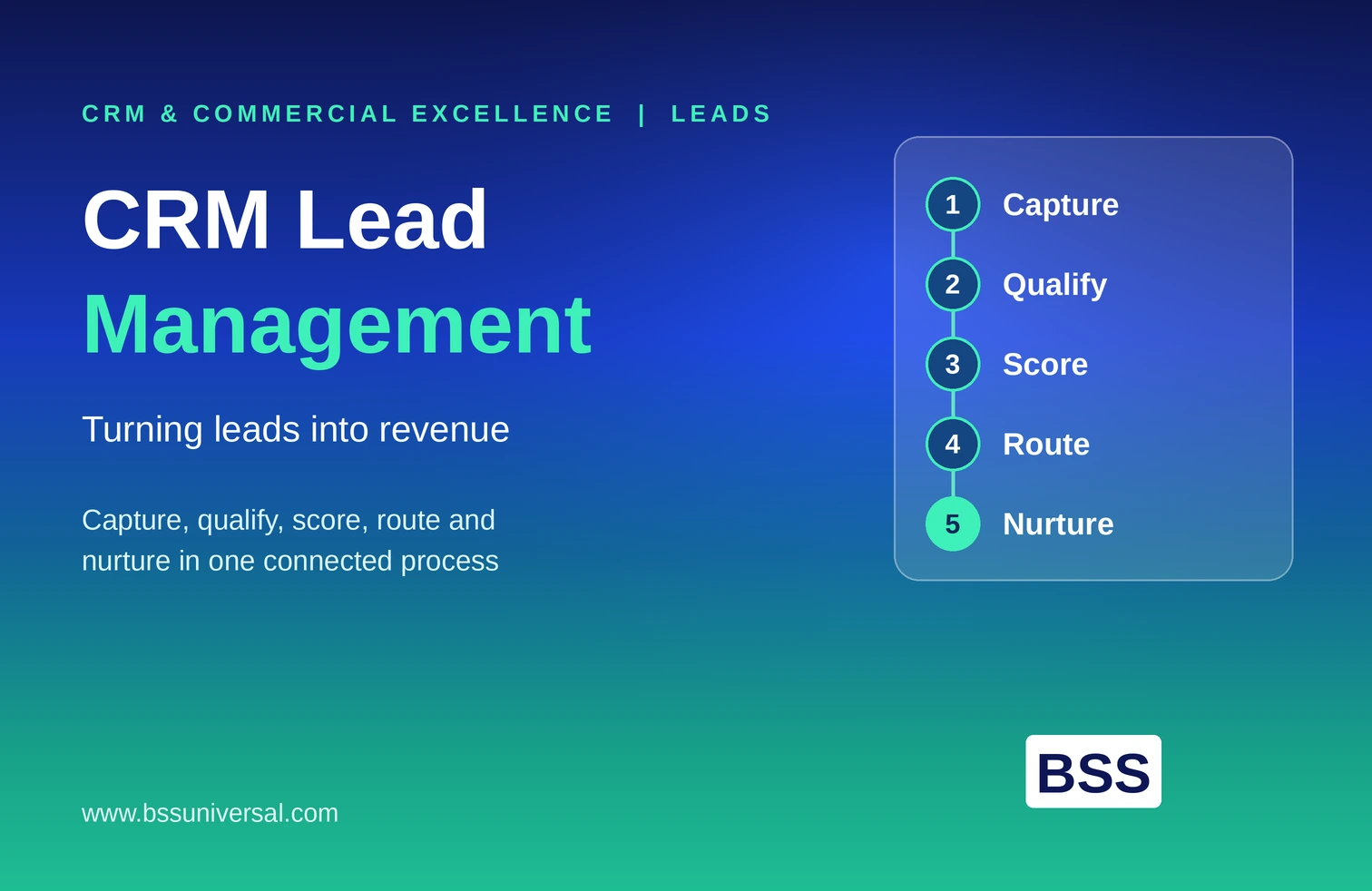
Lead management covers how Sales Cloud captures, scores, and routes incoming leads to the right rep, team, or territory, automatically and consistently.
Why this matters: enterprise organizations generate leads from many channels, web forms, events, campaigns, partner referrals, and manual routing does not scale across that volume without delay or error.
Core capabilities enterprise teams rely on:
- Multi-channel lead capture, consolidating leads from every source into one system
- Territory- and rule-based routing, assigning leads based on region, product line, or account ownership
- Lead scoring, prioritizing leads most likely to convert based on behavior and fit
- Automated assignment notifications, so reps act on new leads quickly rather than discovering them during a manual review
Common risk: routing rules that are not maintained as the organization changes, new territories, new product lines, quietly misroute leads for months before anyone notices the pattern in reporting.
Sales Forecasting Built on Real Pipeline Data
Sales forecasting rolls up opportunity data into a projected revenue outcome, measured against quota, at the rep, team, and regional level.
Why forecast accuracy depends on the features above: forecasting is only as reliable as the opportunity, account, and activity data feeding it. This is why forecasting is not really a standalone feature, it is the output of well-configured opportunity management and clean account intelligence working together.
What enterprise-grade forecasting includes:
- Real-time roll-up across reps, teams, and regions, without manual spreadsheet consolidation
- Forecast categories that reflect deal confidence, not just stage
- Historical trend data to catch forecast drift before it becomes a quarter-end surprise
- Agent-flagged risk signals, such as stalled deals or missing next steps, before they distort the number
Workflow and Process Automation
Workflow automation in Sales Cloud handles repetitive, rule-based tasks, record updates, approval routing, notification triggers, without a rep manually performing each step.
Why enterprise teams need this: manual process steps do not scale across a large sales organization, and every manual step is an opportunity for inconsistency or delay.
Typical enterprise automation use cases:
- Approval routing for discounts, contract terms, or non-standard deal structures
- Automatic record updates when a deal reaches a defined stage or milestone
- Notification triggers for managers when a deal needs attention
- Data hygiene automation, such as flagging incomplete or stale records
Where this connects to agentic AI: traditional workflow automation follows fixed rules. Agentforce agents extend this by handling tasks that need judgment within defined boundaries, such as drafting a follow-up based on context, rather than only executing a fixed rule.
How BSS Universal's team handles this: BSS Universal's Automation, Integration & Orchestration team designs workflow automation to complement, not compete with, Agentforce agent logic, so the two layers work together instead of creating duplicate or conflicting actions on the same record.
Quoting and Contract Approvals
Quoting and contract approval tools let reps generate standard quotes and move contracts through approval directly inside Sales Cloud, instead of switching to separate documents or email threads.
Why this matters for deal velocity: every extra tool or manual step between a verbal agreement and a signed contract adds delay, and enterprise deals with multiple approval layers are especially exposed to this friction.
What this typically includes:
- Standardized quote templates that pull pricing and terms directly from the opportunity record
- Configurable approval workflows for discounts or non-standard terms
- Integration with contract and e-signature tools where the organization uses them
- Visibility into where a quote or contract sits in the approval chain
Reporting and Dashboards for Sales Leadership
Reporting and dashboards give sales leadership real-time visibility into pipeline health, rep performance, and forecast accuracy, without manually pulling data from multiple systems.
Why this matters beyond the sales team: enterprise leadership uses this data for resourcing, hiring, and revenue planning decisions, so dashboard accuracy has consequences well beyond the sales organization.
What enterprise dashboards typically track:
- Pipeline coverage against quota, by rep, team, and region
- Deal velocity and stage conversion rates
- Forecast accuracy trends over time
- Rep activity and engagement metrics tied to outcomes, not just volume
How to Choose Which Features Matter Most for Your Team
Not every enterprise team needs every feature at once, and rolling out too much at once is a common reason adoption stalls.
Practical decision factors:
- Start with the feature tied to the biggest current pain point, forecast accuracy, lead routing delays, or manual data entry, rather than deploying everything simultaneously
- Confirm the underlying data is clean and unified enough to support the feature before turning it on, especially for account intelligence and guided selling
- Involve the reps who will use the feature daily in configuration decisions, not just sales operations leadership
- Plan for a phased rollout, particularly for any feature involving Agentforce agents acting autonomously
How BSS Universal's team handles this: rather than proposing every available feature at once, BSS Universal's Agent Architecture & Use Case Design team prioritizes features against the client's stated pain points first, sequencing rollout so each addition is proven before the next begins, with plain-language progress reporting so sales leadership can track impact without interpreting technical detail themselves.
FAQ
What are the most important Salesforce Sales Cloud features for enterprise teams?
Opportunity management, account intelligence, and guided selling form the core, since together they determine whether reps have accurate deal data, full customer context, and clear direction on what to do next. Forecasting, workflow automation, and reporting build on top of that foundation.
What is account intelligence in Salesforce Sales Cloud?
Account intelligence is a unified, current view of an account, its contacts, history, and engagement signals, available to a rep before a call or interaction. It depends on unifying data from CRM, service, and marketing systems rather than relying on Sales Cloud data alone.
How does guided selling work in Sales Cloud?
Guided selling analyzes deal signals, such as engagement and stage velocity, and recommends a rep's next action, from a follow-up email to a flag for manager attention. Agentforce agents can extend this by drafting the recommended action for rep review.
Do enterprise teams need every Sales Cloud feature to see results?
No. Enterprise teams typically get more value from rolling out features against their biggest current pain point first, rather than deploying everything at once. A phased approach also reduces the risk of features going unused because reps were not ready to adopt them.
What data does guided selling need to work reliably?
Guided selling depends on accurate opportunity data and unified account intelligence. Without clean, current data on deal activity and account engagement, guided selling recommendations will be inconsistent or unreliable, regardless of how the feature is configured.
How is opportunity management different from a basic deal tracker?
Basic deal tracking records stage and value. Enterprise opportunity management reflects the organization's actual sales process, including multi-stakeholder tracking and deal health signals based on real engagement, not just which stage a deal happens to sit in.
Can Sales Cloud features work together with existing automation tools?
Yes, but they need to be designed to complement each other rather than duplicate actions on the same record. This is particularly important once Agentforce agents are introduced alongside existing workflow automation.