Legacy System Modernization: Extend, Replace or Rebuild?
Legacy system modernization means deciding whether to extend, replace, or rebuild outdated software so it can keep up with your business. The right choice depends on how much value your current system still delivers, how much technical debt it carries, and how much risk your business can absorb during the transition. This guide breaks down all three paths and gives you a practical framework for picking the one that fits your organization. This kind of planning work is closely related to BSS Universal's custom development services.
What Is Legacy System Modernization?
Legacy system modernization is the process of updating outdated software, infrastructure, or applications so they meet current business, security, and integration needs. It can mean a small code update or a complete platform rebuild. The goal stays the same either way: keep the business logic that still works while removing the cost and risk that comes with aging technology. This balance is central to how BSS Universal approaches custom development services for enterprise clients.
Most legacy systems did not start out as a liability. They were built to solve a real problem, and in many cases they still do. The trouble shows up over time, as vendor support fades, security patches stop, and the system falls further behind the tools your team uses every day. A few signs usually point to modernization being overdue:
- Frequent downtime, slow performance, or unexplained errors
- Security patches are no longer available from the vendor
- Few developers still know the language or platform the system runs on
- Connecting the system to modern tools needs constant custom workarounds
- New compliance or regulatory requirements the system cannot support
Extend, Replace, or Rebuild: How to Decide
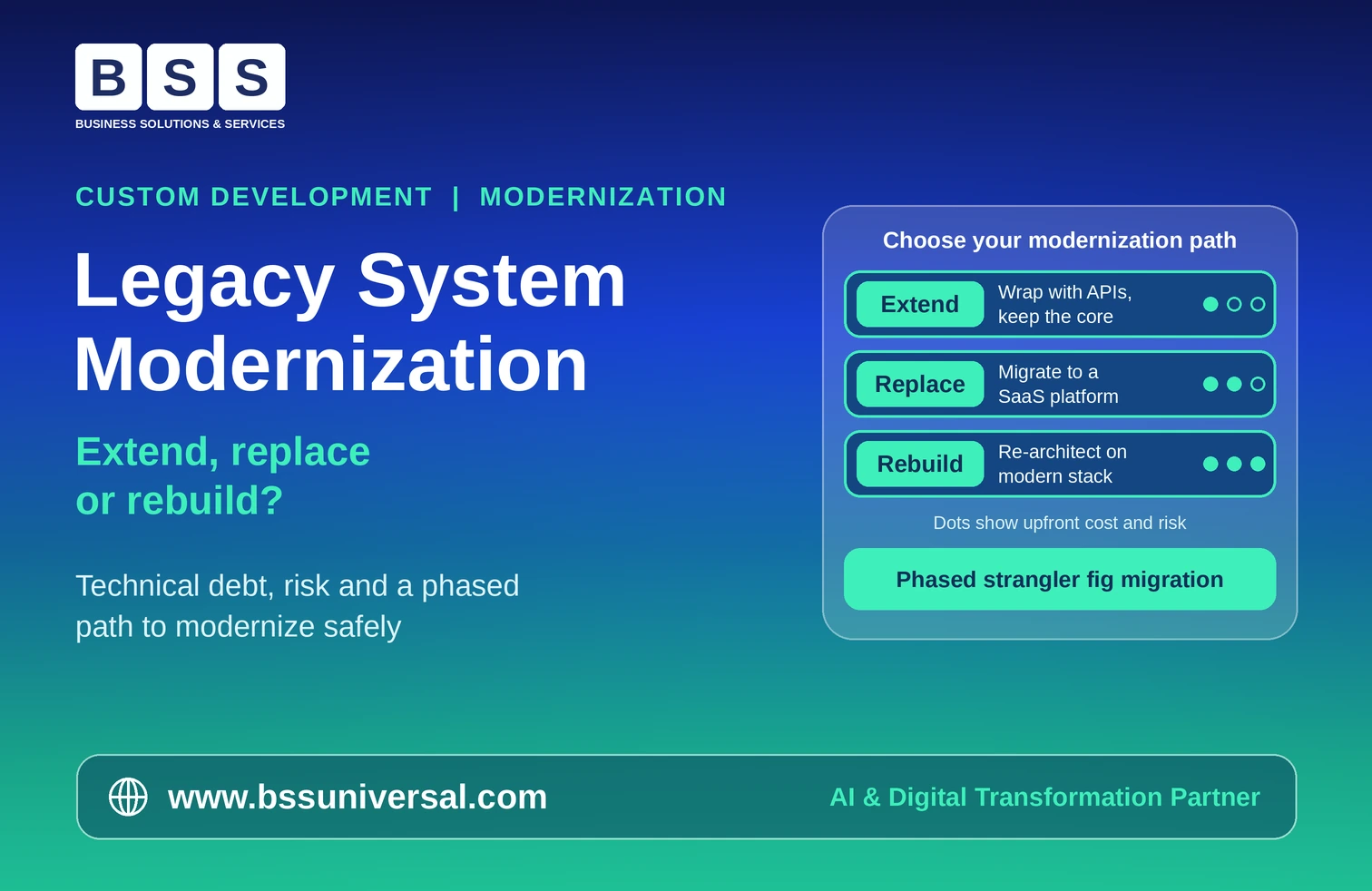
The right modernization path depends on three factors: how stable your current business logic is, whether commercial software can already cover the same function, and how much architectural change your growth plans need. Extend when the system still works and only needs better connectivity. Replace when the function is standard and a SaaS platform already does it well. Rebuild when the platform itself is blocking growth.
- Extend: best for stable systems that just need modern connectivity. Works through API wrapping, microservices boundaries, and cloud rehosting. Lowest cost, but technical debt stays in place.
- Replace: best for standardized functions like HR, CRM, or finance reconciliation. Works by migrating data and processes to a SaaS or commercial platform. Fast modern features, but migration effort and subscription cost.
- Rebuild: best for critically outdated, insecure, or rigid platforms. Works through full re-architecture with modern frameworks and CI/CD. Highest long-term agility, but highest upfront cost and risk.
Extend: Keep and Wrap
Extending a legacy system means keeping its core logic in place while wrapping it with modern interfaces so it can connect to newer applications. This fits well when the business logic still adds value and only the connectivity layer is outdated.
- Use API wrapping to expose legacy data to new front ends
- Move the system to cloud infrastructure without rewriting the code (lift-and-shift)
- Break monolithic functions into microservice boundaries gradually
This is usually the lowest-cost, lowest-risk option. The trade-off is that the underlying technical debt and maintenance overhead do not go away, they just get a modern interface on top. Many of these lift-and-shift moves are also the starting point for a broader shift toward cloud-native development.
Replace: Move to Off-the-Shelf Software
Replacing a legacy system means retiring it and migrating its data and processes to a modern SaaS or commercial platform. This works best for standardized business functions where custom code no longer creates any real advantage.
Good candidates include HR systems, CRM platforms, and basic finance reconciliation tools. Before committing, plan for data migration complexity, ongoing subscription costs, and the workflow changes your team will need to adopt.
Rebuild: Re-architect from the Ground Up
Rebuilding means completely re-architecting and rewriting a system using modern frameworks, cloud-native services, and automated deployment pipelines. This is the right call when security vulnerabilities, unsupported technology, or a rigid architecture are actively blocking business growth. This kind of full re-architecture is covered in more depth in our guide to enterprise application architecture.
A U.S. Government Accountability Office review of federal legacy IT found that eight of the eleven systems flagged as most in need of modernization were still running on outdated programming languages, the kind of structural problem that extending or replacing alone cannot fix. Outdated, unsupported languages like these are also a common blocker to adopting DevSecOps enterprise practices, since security tooling often cannot support legacy runtimes.
Rebuilds deliver the most long-term agility, performance, and scalability. They also carry the highest upfront cost and the most execution risk, so they should be reserved for systems where extending or replacing genuinely will not work.
Why Incremental Transformation Reduces Risk
Incremental transformation lowers the risk of enterprise modernization by migrating one component at a time instead of attempting a single large cutover. This approach, often called the strangler fig pattern, gradually routes traffic away from the legacy system and into the new one while both run in parallel. This phased approach relies heavily on the same principles covered in our enterprise system integration strategy guide.
- Audit the system and map every dependency before touching production code
- Rank modules by business value and risk exposure
- Insert an API gateway or routing facade in front of the legacy core
- Extract one business domain at a time into a modern service
- Run the legacy and modern components in parallel to confirm data matches
- Keep an instant rollback path ready for every migrated piece
Modernization research from IBM shows that a well-planned transformation can cut maintenance costs by as much as 50 percent and reduce staffing, hardware, and software expenses by up to 74 percent. That scale of savings is a major reason phased execution has become the default approach for most enterprise IT teams rather than a single big-bang rewrite. This kind of measurable, ongoing improvement is what separates true digital product engineering from a one-time modernization project.
How to Plan Your System Upgrade
A system upgrade plan should start with a full audit of your current architecture, move into a clear framework for deciding what to extend, replace, or rebuild, and finish with a phased rollout that protects business continuity. This planning discipline mirrors the approach outlined in our enterprise custom software development guide.
- Audit the existing system against business outcomes, not just technical specs
- List every integration point and dependency across the system
- Score each module on business value and modernization risk
- Choose extend, replace, or rebuild per module rather than for the whole system at once
- Set a rollback plan and success metrics before migration begins
- Run legacy and modern systems in parallel through the transition period
Frequently Asked Questions
What is legacy system modernization?
Legacy system modernization is the process of updating, extending, replacing, or rebuilding outdated software so it keeps supporting the business securely and efficiently. It ranges from light API wrapping to a full platform rebuild, depending on how much the underlying system needs to change.
What are the main options for modernizing a legacy system?
The three core options are extend (wrap the existing system with modern interfaces), replace (migrate to a commercial or SaaS platform), and rebuild (re-architect the system from scratch). Within these, teams also use rehosting, replatforming, refactoring, and re-architecting as specific technical methods.
How do I know if I should replace or rebuild my legacy system?
Replace when the function is standardized, such as HR or CRM, and a mature commercial platform already covers it well. Rebuild when the system's architecture itself is the problem, such as unsupported technology or security gaps that block growth and cannot be solved by swapping in off-the-shelf software.
What is the strangler fig pattern?
The strangler fig pattern is a phased modernization method that routes traffic away from a legacy system and into new components gradually, while both run side by side. It reduces risk because each piece can be tested and rolled back independently instead of committing to one large cutover.
How much does legacy modernization typically save?
According to IBM research, well-planned modernization initiatives can reduce maintenance costs by up to 50 percent and cut staffing, hardware, and software expenses by as much as 74 percent. Actual savings depend on the size of the system and how much of it is modernized.
What is the biggest risk in legacy system modernization?
The biggest risk is attempting a single large cutover without a rollback path, since any data mismatch or integration failure can disrupt the whole business at once. Phased migration with parallel runs and clear rollback points is the standard way to manage this risk.
Should I modernize my entire system at once or in phases?
Phased modernization is safer for most organizations because it limits how much can go wrong at any one time and lets you validate each migrated component before moving to the next. A full cutover is only worth considering for small, low-dependency systems where the risk window is short.